blog.hirnschall.net
home

Contents

Subscribe for New Projects

About

Everything Aero is a symbolic aerodynamics and vehicle-dynamics calculator designed for Formula Student / Formula SAE Rules Quiz preparation and concept checking. It is open source and can easily be expanded to other fields/domains.

If you want to contribute missing equations, please add an issue or PR on GitHub!

Instead of hard-coded calculators, this tool uses a large library of physics-based equations (aero forces, load transfer, tyre models, drag, moments, etc.) and automatically assembles and solves the relevant system based on the inputs you provide.

How to use it:

The solver determines which equations apply, builds a consistent system, and returns the solution along with the equations actually used.

The calculator itself runs a full python environment in the browser. It therefore needs a few seconds to start and install packages with pip (in the browser environment only!). Furthermore sympy is loaded after the first solve button press. So the first press will take a few seconds.

All known symbols and equations are listed below.

If the tool fails to load, reload the page and check the console (press F12 key).

Calculator

Loading Python
...

Usage

The calculator offers three input fields: Equations, Assumptions, and Looking for. Each field accepts one input per line. After entering your inputs, click Solve to run the symbolic solver. An example input is shown in fig. 1 below.

Example input fields
Figure 1: Example input fields

Conceptual Overview

Everything Aero does not follow a fixed calculation order. Instead, it collects all known symbols and equations, automatically activates all solvable equation templates, solves the resulting system symbolically, and relaxes assumptions if the system is over-constrained. You only need to provide enough information — not a specific workflow.

Indexed Variables

All symbols must be indexed. Each index represents a separate operating point. Typical use cases include \(v_0\), \(v_1\) for two different speeds, \(\rho_0\), \(\rho_1\) for different atmospheric conditions, or \(F_{z0}\), \(F_{z1}\) for before and after a setup change. If your problem involves only one condition, use index 0 everywhere.

Note: if any symbol is missing an index, the solver will not run.

v0
rho0
F_z_total1

Input Fields

Equations

The Equations field is used for known numerical values, known relationships from the problem statement, and custom equations not already built into the solver. All equations entered here are treated as hard constraints — if the system is inconsistent, no solution will be found.

v0 = 30
rho0 = 1.225
Re0 = Re1

Assumptions

Assumptions are soft constraints that may override physics. This field is optional. If assumptions conflict with physical equations, the solver will try to preserve equations related to variables in the Looking for field and relax assumption equations if necessary. This mirrors how assumptions are treated in real engineering problems.

W_lat0 = 0

Looking for

This field is optional but strongly recommended. It serves two purposes: it highlights variables in the LaTeX solution output, and it tells the solver which equations to prioritize when resolving conflicts.

F_z_total_cornering_fl
F_z_total_cornering_fr

Solve

Once inputs are entered, click Solve. Scalar-only problems solve instantly; symbolic functions may take a few seconds. If no solution is found, check indexing first.

Custom Equations

Custom equations can be added directly in the Equations field, and new symbols are allowed. The example below solves FS-Quiz Question 366 and correctly finds \(v_1 = 86.6666\).

Re0 = Re1
nu0 = nu1
rho0 = rho1
Custom equation input for FS-Quiz Question 366
Figure 2: Custom equation input for FS-Quiz Question 366

Troubleshooting

If nothing happens after pressing Solve, the most likely cause is that not every symbol has an index correctly appended to it. Add the correct index and solve again.

How It Works

Everything Aero is built around a generic symbolic equation manager. Instead of hard-coding calculation steps, the solver dynamically assembles and solves a system of equations based on a large library of equation templates and which variables are present or provided.

High-Level Flow

When you submit inputs, the solver extracts all symbols and creates indexed variables, then activates any equation templates that are solvable given the known symbols. A symbolic system is assembled and solved using SymPy. If the system is over-constrained, assumptions are relaxed iteratively until a solution is found. The result may include functions, not just scalar values.

Architecture

The calculator is split into three independent parts: the equation engine (generic and reusable), equation templates (domain-specific physics), and the web UI built with ngapp. This separation makes it straightforward to add new equations, create calculators for other domains, or extend the physics without touching the solver. Deployment and documentation are handled automatically via GitHub Actions.

Equation Templates

All physics equations are defined as templates and registered with the equation manager. A Reynolds number template looks like this:

aero_eq_manager.add_equation_template(
    equations_to_add=["Re{{i}}=L{{i}} * rho{{i}} * v{{i}} / eta{{i}}"],
    relevant_vars=[
        ("Re",  "Reynolds number [-]"),
        ("L",   "Characteristic length [m]"),
        ("rho", "Air density [kg/m³]"),
        ("v",   "Velocity [m/s]"),
        ("eta", "Dynamic viscosity [Pa·s]")
    ],
    vars_to_check=[(["Re", "L"], 1)],
    name="Reynolds Number"
)

equations_to_add is a list of strings in lhs = rhs format. Symbols use {{i}} and {{j}} as index placeholders, and multi-index equations are expanded automatically.

relevant_vars is a list of (symbol, description) tuples used for documentation and UI clarity. Descriptions should be precise to avoid input errors.

vars_to_check is a list of ([symbols], n) tuples that gate template activation: a template is only added to the system if at least n of the listed symbols already exist. This prevents unsolvable equations from being included and keeps the solver fast.

Assumption Handling

If the system is over-constrained, equations involving assumption symbols are selectively removed in an iterative process. Variables listed in Looking for are preserved where possible, and relaxation continues until a solution is found or all options are exhausted.

Output

Solutions are symbolic and displayed in LaTeX, with variables from the Looking for field highlighted. This allows further analysis such as differentiation or evaluation at specific parameter values.

FS Rules Quiz Quick Start

This page shows how to use Everything Aero to solve typical FS Rules Quiz problems quickly and reliably. If the problem can be solved with equations, this tool can usually handle it with minimal setup.

Mental Model

Everything Aero is not a step-by-step calculator. You do not choose formulas manually, decide calculation order, or worry about solving intermediate variables. You only write down what the problem gives you, add any explicit assumptions, and tell the solver what you want to find. The solver figures out the rest.

Every Symbol Must Have an Index

Every variable must have an index appended. If the problem describes only one condition, use index 0 throughout. The following is correct:

v0 = 30
rho0 = 1.225

Writing v = 30 or rho = 1.225 without an index will prevent the solver from running.

Typical FS-Quiz Workflow

Step 1: Write down given values

Copy everything the problem gives you numerically into the Equations field.

v0 = 30
rho0 = 1.225
C_L0 = -3.0
A0 = 1.2
m0 = 280

Step 2: Add stated assumptions

If the problem states things like "assume no lateral load transfer", "neglect drag", or "ignore aerodynamic moments", input them in Assumptions. Assumptions are treated as soft constraints and can be relaxed if needed.

W_lat0 = 0

Step 3: Ask the question

Put exactly what the question asks for into Looking for. This tells the solver what to highlight in the output and what to prioritize if equations conflict. This field is optional but strongly recommended.

Re0
F_z_total_cornering_fl
v1

Example 1: Reynolds Number

A car drives at 30 m/s with a characteristic length of 0.3 m, air density 1.225 kg/m³, and dynamic viscosity 1.8×10⁻⁵ Pa·s. We want the Reynolds number.

Equations:

v0 = 30
L0 = 0.3
rho0 = 1.225
eta0 = 1.8e-5

Looking for:

Re0

The solver returns \(Re_0 = 612500.0\).

Example 2: Wind Tunnel Scaling

A 50% scale model must match the Reynolds number of the full car. Air properties are identical and full-scale speed is 30 m/s. We want the required tunnel speed.

Equations:

Re0 = Re1
L0 = 1.0
L1 = 0.5
v0 = 30
rho0 = rho1
eta0 = eta1

Looking for:

v1

The solver returns \(v_1 = 60.0\).

Final Advice

When in doubt: put everything the problem gives you in Equations, put stated assumptions in Assumptions, and put the question in Looking for. Let the solver do the rest.

Known Symbols

A     Cross-sectional area [m²]
A_ref     Aerodynamic reference area [m²]
C_L     Lift coefficient [-]
C_d     Drag coefficient [-]
C_rr     Rolling resistance coefficient [-]
C_y     Side force coefficient [-]
Delta_F_z     Change in tyre normal load [N]
Delta_Fz_drag_f     Front axle normal load change from drag moment [N]
Delta_Fz_drag_fl     Front-left normal load change from drag moment [N]
Delta_Fz_drag_fr     Front-right normal load change from drag moment [N]
Delta_Fz_drag_r     Rear axle normal load change from drag moment [N]
Delta_Fz_drag_rl     Rear-left normal load change from drag moment [N]
Delta_Fz_drag_rr     Rear-right normal load change from drag moment [N]
Delta_Fz_lat     Total lateral normal load transfer [N]
Delta_Fz_lat_f     Front axle lateral load transfer [N]
Delta_Fz_lat_fl     Front-left load change from lateral effects [N]
Delta_Fz_lat_fr     Front-right load change from lateral effects [N]
Delta_Fz_lat_r     Rear axle lateral load transfer [N]
Delta_Fz_lat_rl     Rear-left load change from lateral effects [N]
Delta_Fz_lat_rr     Rear-right load change from lateral effects [N]
Delta_Fz_long     Total longitudinal load transfer [N]
Delta_Fz_long_f     Front axle normal load change from longitudinal effects [N]
Delta_Fz_long_fl     Front-left load change from longitudinal effects [N]
Delta_Fz_long_fr     Front-right load change from longitudinal effects [N]
Delta_Fz_long_geom     Geometric load transfer component [N]
Delta_Fz_long_r     Rear axle normal load change from longitudinal effects [N]
Delta_Fz_long_rl     Rear-left load change from longitudinal effects [N]
Delta_Fz_long_rr     Rear-right load change from longitudinal effects [N]
Delta_Fz_long_total     Net longitudinal load transfer [N]
Delta_delta_z_tire     Change in tyre deflection [m]
F_bump     Bump stop force [N] (active only if delta_z_bump > 0)
F_centripetal     Required centripetal force [N]
F_d     Aerodynamic drag force [N]
F_f_max     Maximum available friction force magnitude [N]
F_rr     Rolling resistance force [N]
F_slope     Longitudinal force due to road slope [N]
F_spring     Suspension spring force [N]
F_tan     Resultant tangential force magnitude [N]
F_thrust_req     Required thrust force [N]
F_x_drive     Total driven longitudinal force at wheels [N]
F_x_inertia     Longitudinal inertial force (vehicle frame) [N]
F_x_max     Maximum longitudinal tyre force [N]
F_x_tire     Longitudinal tractive force [N]
F_x_tire_max     Maximum available longitudinal tyre force [N]
F_y_aero     Aerodynamic side force [N]
F_y_available     Available lateral force [N]
F_y_inertia     Lateral inertial force (vehicle frame) [N]
F_y_max     Maximum lateral force [N]
F_z     Generic normal force on tyre [N]
F_z_arb_left     ARB vertical force at left wheel [N]
F_z_arb_right     ARB vertical force at right wheel [N]
F_z_df     Aerodynamic downforce [N]
F_z_df_f     Front axle aerodynamic downforce [N]
F_z_df_fl     Front-left aerodynamic downforce [N]
F_z_df_fr     Front-right aerodynamic downforce [N]
F_z_df_r     Rear axle aerodynamic downforce [N]
F_z_df_rl     Rear-left aerodynamic downforce [N]
F_z_df_rr     Rear-right aerodynamic downforce [N]
F_z_f     Front axle normal force [N]
F_z_fl     Front-left wheel normal force [N]
F_z_fr     Front-right wheel normal force [N]
F_z_r     Rear axle normal force [N]
F_z_rl     Rear-left wheel normal force [N]
F_z_rr     Rear-right wheel normal force [N]
F_z_static     Static normal force [N]
F_z_static_df_drag_fl     Front-left normal force: static + downforce + drag moment [N]
F_z_static_df_drag_fr     Front-right normal force: static + downforce + drag moment [N]
F_z_static_df_drag_rl     Rear-left normal force: static + downforce + drag moment [N]
F_z_static_df_drag_rr     Rear-right normal force: static + downforce + drag moment [N]
F_z_static_df_f     Front axle normal force: static + downforce [N]
F_z_static_df_fl     Front-left normal force: static + downforce [N]
F_z_static_df_fr     Front-right normal force: static + downforce [N]
F_z_static_df_r     Rear axle normal force: static + downforce [N]
F_z_static_df_rl     Rear-left normal force: static + downforce [N]
F_z_static_df_rr     Rear-right normal force: static + downforce [N]
F_z_static_f     Static front axle normal force [N]
F_z_static_fl     Static front-left normal force [N]
F_z_static_fr     Static front-right normal force [N]
F_z_static_r     Static rear axle normal force [N]
F_z_static_rl     Static rear-left normal force [N]
F_z_static_rr     Static rear-right normal force [N]
F_z_susp     Vertical force transmitted by suspension at wheel [N]
F_z_susp_total     Total suspension vertical force at wheel [N]
I_z     Yaw moment of inertia [kg·m²]
L     Characteristic length [m]
L_ISA     ISA temperature lapse rate [K/m]
MR     Suspension motion ratio [-]
M_pitch_aero     Total aerodynamic pitching moment about CG [N·m]
M_pitch_df     Pitching moment caused by downforce distribution [N·m]
M_pitch_drag     Pitching moment caused by drag force [N·m]
M_yaw_aero     Aerodynamic yawing moment about CG [N·m]
M_z     Sum of yaw moments about CG [N·m]
P_required     Required propulsion power [W]
P_trac     Tractive power at the wheels [W]
P_x     Longitudinal power at wheels [W]
R     Specific gas constant for air [J/(kg·K)]
R_turn     Turn radius to CG [m]
Re     Reynolds number [-]
T     Ambient temperature [K]
T_0     Sea level temperature [K]
T_arb     Anti-roll bar torque equivalent [N·m]
W     Vehicle weight (gravitational force) [N]
a_CG     CG distance to front axle [m]
a_brake_aero     Maximum braking deceleration with aerodynamic downforce [m/s²]
a_lat     Lateral acceleration [m/s²]
a_lat_max     Maximum lateral acceleration (friction-limited) [m/s²]
a_long     Longitudinal acceleration (positive forward) [m/s²]
a_long_max     Maximum longitudinal acceleration (friction-limited) [m/s²]
a_x_max     Maximum traction-limited longitudinal acceleration [m/s²]
b_CG     CG distance to rear axle [m]
balance_df     Aerodynamic balance (front fraction) [-]
balance_lat     Lateral load transfer balance (front fraction) [-]
beta_sideslip     Vehicle sideslip angle at CG [rad]
delta_avg     Average front steering angle [rad]
delta_inner     Inner wheel steering angle [rad]
delta_outer     Outer wheel steering angle [rad]
delta_z_bump     Bump stop compression [m]
delta_z_clearance     Bump stop clearance [m]
delta_z_heave     Chassis heave displacement [m]
delta_z_spring     Spring compression [m]
delta_z_susp     Suspension deflection [m]
delta_z_tire     Tyre vertical deflection [m]
delta_z_wheel     Wheel vertical displacement [m]
delta_z_wheel_f     Front axle wheel vertical displacement [m]
delta_z_wheel_left     Left wheel vertical displacement [m]
delta_z_wheel_r     Rear axle wheel vertical displacement [m]
delta_z_wheel_right     Right wheel vertical displacement [m]
eta     Dynamic viscosity [Pa·s]
eta_aero     Aerodynamic efficiency (lift-to-drag ratio) [-]
f_load     Dimensionless load influence factor [-]
friction_util     Friction utilisation ratio (≤1 = within grip) [-]
g     Gravitational acceleration [m/s²]
h     Geometric height of point [m]
k_arb     Anti-roll bar stiffness [N/m]
k_bump     Bump stop stiffness [N/m]
k_roll_f     Front axle roll stiffness [N·m/rad]
k_roll_r     Rear axle roll stiffness [N·m/rad]
k_spring     Suspension spring stiffness [N/m]
k_tire     Tyre vertical stiffness [N/m]
k_vert     Effective vertical stiffness at wheel [N/m]
k_wheel     Effective wheel rate [N/m]
l_wb     Wheelbase [m]
m     Vehicle mass [kg]
mu     Tyre-road friction coefficient [-]
mu_0     Reference friction coefficient [-]
mu_load_dep     Load-dependent friction coefficient [-]
mu_long     Longitudinal friction coefficient [-]
nu     Kinematic viscosity [m²/s]
p     Static pressure at point [Pa]
p_0     Sea level standard atmospheric pressure [Pa]
phi_roll_f     Front roll stiffness distribution [-]
r_dot     Yaw acceleration [rad/s²]
rho     Density at altitude h [kg/m³]
rho_0     Sea level standard density [kg/m³]
s_coast     Coast-down distance [m]
t_coast     Time to coast from v to v_final [s]
t_track     Track width [m]
theta_anti     Anti-dive / anti-squat angle [rad]
theta_bank     Bank angle [rad]
theta_pitch     Pitch angle (small-angle) [rad]
theta_slope     Road slope angle (positive uphill) [rad]
v     Flow velocity [m/s]
v_final     Final speed [m/s]
v_max_corner     Maximum cornering speed (friction-limited) [m/s]
v_x     Longitudinal velocity component [m/s]
v_y     Lateral velocity [m/s]
x_CG     Center of gravity position [m]
x_COP     Center of pressure position from front axle [m]
x_rel_aero     Longitudinal lever arm from CG to aerodynamic center [m]
z_CG     Center of gravity height [m]
z_COP     Aerodynamic center height [m]
z_chassis     Chassis reference vertical position [m]
z_rel_aero     Vertical lever arm from CG to COP [m]
z_wheel     Wheel center vertical position [m]

Known Equations

Bernoulli Equation (two points)
$$ \begin{aligned} g_{i} h_{i} \rho_{i} + p_{i} + \frac{\rho_{i} v_{i}^{2}}{2} &= g_{j} h_{j} \rho_{j} + p_{j} + \frac{\rho_{j} v_{j}^{2}}{2} \end{aligned} $$
Continuity Equation for Incompressible Flow
$$ \begin{aligned} \frac{v_{i}}{v_{j}} &= \frac{A_{j}}{A_{i}} \end{aligned} $$
Reynolds Number
$$ \begin{aligned} Re_{i} &= \frac{L_{i} \rho_{i} v_{i}}{\eta_{i}} \end{aligned} $$
Kinematic Viscosity Definition
$$ \begin{aligned} \nu_{i} &= \frac{\eta_{i}}{\rho_{i}} \end{aligned} $$
Aerodynamic Drag Force
$$ \begin{aligned} F_{d i} &= \frac{A_{ref i} C_{d i} \rho_{i} v_{i}^{2}}{2} \end{aligned} $$
Aerodynamic Lateral Force
$$ \begin{aligned} F_{y aero i} &= \frac{A_{ref i} C_{y i} \rho_{i} v_{i}^{2}}{2} \end{aligned} $$
Aerodynamic Yawing Moment
$$ \begin{aligned} M_{yaw aero i} &= F_{y aero i} x_{rel aero i} \end{aligned} $$
Vehicle Speed from Velocity Components
$$ \begin{aligned} v_{i} &= \sqrt{v_{x i}^{2} + v_{y i}^{2}} \end{aligned} $$
Vehicle Slip Angle at CG
$$ \begin{aligned} \beta_{sideslip i} &= \operatorname{atan}{\left(\frac{v_{y i}}{v_{x i}} \right)} \end{aligned} $$
Longitudinal Force Equilibrium
$$ \begin{aligned} - F_{d i} - F_{rr i} + F_{x drive i} - F_{x inertia i} &= 0 \end{aligned} $$
Rolling Resistance Force
$$ \begin{aligned} F_{rr i} &= C_{rr i} F_{z i} \end{aligned} $$
Longitudinal Power from Force
$$ \begin{aligned} P_{x i} &= F_{x drive i} v_{i} \end{aligned} $$
Yaw Moment Equation of Motion
$$ \begin{aligned} M_{z i} &= I_{z i} r_{dot i} \end{aligned} $$
Maximum Longitudinal Tyre Force
$$ \begin{aligned} F_{x max i} &= F_{z i} \mu_{long i} \end{aligned} $$
Axle Normal Force from Wheel Loads
$$ \begin{aligned} F_{z f i} &= F_{z fl i} + F_{z fr i} \\ F_{z r i} &= F_{z rl i} + F_{z rr i} \end{aligned} $$
Ideal Gas Law
$$ \begin{aligned} p_{i} &= R_{i} T_{i} \rho_{i} \end{aligned} $$
ISA Temperature Lapse Rate (Assumption)
$$ \begin{aligned} T_{i} &= - L_{ISA i} h_{i} + T_{0 i} \end{aligned} $$
Coast-Down Time (Drag Only)
$$ \begin{aligned} t_{coast i} &= \frac{2.0 m_{i} \log{\left(\frac{v_{i}}{v_{final i}} \right)}}{A_{ref i} C_{d i} \rho_{i} v_{i}} \end{aligned} $$
Coast-Down Distance (Drag Only)
$$ \begin{aligned} s_{coast i} &= \frac{2.0 m_{i} \left(- v_{final i} + v_{i}\right)}{A_{ref i} C_{d i} \rho_{i}} \end{aligned} $$
Required Thrust vs Speed
$$ \begin{aligned} F_{thrust req i} &= F_{d i} + F_{x inertia i} \end{aligned} $$
Required Power vs Speed
$$ \begin{aligned} P_{required i} &= F_{thrust req i} v_{i} \end{aligned} $$
Continuity Equation (Mass Conservation)
$$ \begin{aligned} A_{i} \rho_{i} v_{i} &= A_{j} \rho_{j} v_{j} \end{aligned} $$
CG Distance Definitions (Front / Rear)
$$ \begin{aligned} a_{CG i} &= x_{CG i} \\ b_{CG i} &= l_{wb i} - x_{CG i} \end{aligned} $$
Tyre Vertical Stiffness Definition
$$ \begin{aligned} k_{tire i} &= \frac{F_{z i}}{\delta_{z tire i}} \end{aligned} $$
Tyre Deflection Change from Load Change
$$ \begin{aligned} \Delta_{\delta z tire i} &= \frac{\Delta_{F z i}}{k_{tire i}} \end{aligned} $$
Wheel Vertical Position from Tyre Deflection
$$ \begin{aligned} z_{wheel i} &= - \delta_{z tire i} + z_{chassis i} \end{aligned} $$
Suspension Motion Ratio (Displacement)
$$ \begin{aligned} \delta_{z spring i} &= MR_{i} \delta_{z wheel i} \end{aligned} $$
Suspension Spring Force
$$ \begin{aligned} F_{spring i} &= \delta_{z spring i} k_{spring i} \end{aligned} $$
Suspension Force at Wheel
$$ \begin{aligned} F_{z susp i} &= \frac{F_{spring i}}{MR_{i}} \end{aligned} $$
Wheel Vertical Displacement Decomposition
$$ \begin{aligned} \delta_{z wheel i} &= \delta_{z susp i} + \delta_{z tire i} \end{aligned} $$
Suspension Deflection from Wheel Load
$$ \begin{aligned} \delta_{z susp i} &= \frac{F_{z i} MR_{i}}{k_{spring i}} \end{aligned} $$
Effective Wheel Rate
$$ \begin{aligned} k_{wheel i} &= \frac{k_{spring i}}{MR_{i}^{2}} \end{aligned} $$
Anti-Roll Bar Torque from Wheel Displacement
$$ \begin{aligned} T_{arb i} &= k_{arb i} \left(\delta_{z wheel left i} - \delta_{z wheel right i}\right) \end{aligned} $$
Anti-Roll Bar Vertical Wheel Forces
$$ \begin{aligned} F_{z arb left i} &= \frac{T_{arb i}}{t_{track i}} \\ F_{z arb right i} &= - \frac{T_{arb i}}{t_{track i}} \end{aligned} $$
Wheel Displacement from Heave and Pitch
$$ \begin{aligned} \delta_{z wheel f i} &= a_{CG i} \theta_{pitch i} + \delta_{z heave i} \\ \delta_{z wheel r i} &= - b_{CG i} \theta_{pitch i} + \delta_{z heave i} \end{aligned} $$
Bump Stop Engagement Deflection
$$ \begin{aligned} \delta_{z bump i} &= - \delta_{z clearance i} + \delta_{z susp i} \end{aligned} $$
Bump Stop Force (Linear, Engaged Only)
$$ \begin{aligned} F_{bump i} &= \delta_{z bump i} k_{bump i} \end{aligned} $$
Total Suspension Force Including Bump Stop
$$ \begin{aligned} F_{z susp total i} &= F_{bump i} + F_{z susp i} \end{aligned} $$
Geometric Longitudinal Load Transfer (Anti-Dive / Anti-Squat)
$$ \begin{aligned} \Delta_{Fz long geom i} &= F_{x tire i} \tan{\left(\theta_{anti i} \right)} \end{aligned} $$
Net Longitudinal Load Transfer Including Geometry
$$ \begin{aligned} \Delta_{Fz long total i} &= - \Delta_{Fz long geom i} + \Delta_{Fz long i} \end{aligned} $$
Effective Vertical Stiffness (Tyre + Suspension)
$$ \begin{aligned} \frac{1}{k_{vert i}} &= \frac{1}{k_{wheel i}} + \frac{1}{k_{tire i}} \end{aligned} $$
Roll Stiffness Distribution (Front Fraction)
$$ \begin{aligned} \phi_{roll f i} &= \frac{k_{roll f i}}{k_{roll f i} + k_{roll r i}} \end{aligned} $$
Ackermann Inner Wheel Steering Angle
$$ \begin{aligned} \delta_{inner i} &= \operatorname{atan}{\left(\frac{l_{wb i}}{R_{turn i} - \frac{t_{track i}}{2}} \right)} \end{aligned} $$
Ackermann Outer Wheel Steering Angle
$$ \begin{aligned} \delta_{outer i} &= \operatorname{atan}{\left(\frac{l_{wb i}}{R_{turn i} + \frac{t_{track i}}{2}} \right)} \end{aligned} $$
Average Steering Angle (Bicycle Equivalent)
$$ \begin{aligned} \delta_{avg i} &= \frac{\delta_{inner i}}{2} + \frac{\delta_{outer i}}{2} \end{aligned} $$
Turn Radius from Steering Angle
$$ \begin{aligned} R_{turn i} &= \frac{l_{wb i}}{\tan{\left(\delta_{avg i} \right)}} \end{aligned} $$
Available Lateral Force on Banked Surface (for flat roads, theta_bank=0)
$$ \begin{aligned} F_{y available i} &= F_{z i} \left(\mu_{i} \cos{\left(\theta_{bank i} \right)} + \sin{\left(\theta_{bank i} \right)}\right) \end{aligned} $$
Banked Turn Lateral Force Limit
$$ \begin{aligned} F_{centripetal i} &= F_{y available i} \end{aligned} $$
Aerodynamic Downforce Axle Split
$$ \begin{aligned} F_{z df f i} &= F_{z df i} balance_{df i} \\ F_{z df r i} &= F_{z df i} \left(1 - balance_{df i}\right) \end{aligned} $$
Aerodynamic Efficiency (L/D)
$$ \begin{aligned} \eta_{aero i} &= \frac{C_{L i}}{C_{d i}} \end{aligned} $$
Barometric Formula
$$ \begin{aligned} p_{i} &= p_{0 i} e^{- \frac{g_{i} h_{i} \rho_{0 i}}{p_{0 i}}} \end{aligned} $$
Density Variation with Altitude
$$ \begin{aligned} \rho_{i} &= \rho_{0 i} e^{- \frac{g_{i} h_{i} \rho_{0 i}}{p_{0 i}}} \end{aligned} $$
Aerodynamic Lever Arms relative to CG
$$ \begin{aligned} x_{rel aero i} &= - x_{CG i} + x_{COP i} \\ z_{rel aero i} &= - z_{CG i} + z_{COP i} \end{aligned} $$
Aerodynamic Pitching Moment about CG
$$ \begin{aligned} M_{pitch aero i} &= F_{d i} z_{rel aero i} - F_{z df i} x_{rel aero i} \end{aligned} $$
Aerodynamic Balance from COP Location
$$ \begin{aligned} balance_{df i} &= \frac{l_{wb i} - x_{COP i}}{l_{wb i}} \end{aligned} $$
Pitching Moment from Downforce Distribution
$$ \begin{aligned} M_{pitch df i} &= F_{z df i} \left(x_{CG i} - x_{COP i}\right) \end{aligned} $$
Pitching Moment from Drag Force
$$ \begin{aligned} M_{pitch drag i} &= F_{d i} \left(z_{CG i} - z_{COP i}\right) \end{aligned} $$
Longitudinal Inertial Force
$$ \begin{aligned} F_{x inertia i} &= a_{long i} m_{i} \end{aligned} $$
Total Longitudinal Load Transfer (mass based)
$$ \begin{aligned} \Delta_{Fz long i} &= \frac{F_{x inertia i} z_{CG i}}{l_{wb i}} \end{aligned} $$
Longitudinal Load Transfer Axle Split
$$ \begin{aligned} \Delta_{Fz long f i} &= - \Delta_{Fz long i} \\ \Delta_{Fz long r i} &= \Delta_{Fz long i} \end{aligned} $$
Longitudinal Load Transfer Per Wheel
$$ \begin{aligned} \Delta_{Fz long fl i} &= \frac{\Delta_{Fz long f i}}{2} \\ \Delta_{Fz long fr i} &= \frac{\Delta_{Fz long f i}}{2} \\ \Delta_{Fz long rl i} &= \frac{\Delta_{Fz long r i}}{2} \\ \Delta_{Fz long rr i} &= \frac{\Delta_{Fz long r i}}{2} \end{aligned} $$
Lateral Inertial Force
$$ \begin{aligned} F_{y inertia i} &= a_{lat i} m_{i} \end{aligned} $$
Lateral Acceleration in a Turn
$$ \begin{aligned} a_{lat i} &= \frac{v_{i}^{2}}{R_{turn i}} \end{aligned} $$
Total Lateral Load Transfer
$$ \begin{aligned} \Delta_{Fz lat i} &= \frac{F_{y inertia i} z_{CG i}}{t_{track i}} \end{aligned} $$
Lateral Load Transfer Axle Distribution
$$ \begin{aligned} \Delta_{Fz lat f i} &= \Delta_{Fz lat i} balance_{lat i} \\ \Delta_{Fz lat r i} &= \Delta_{Fz lat i} \left(1 - balance_{lat i}\right) \end{aligned} $$
Lateral Load Transfer Per Wheel (clockwise positive turn)
$$ \begin{aligned} \Delta_{Fz lat fl i} &= \frac{\Delta_{Fz lat f i}}{2} \\ \Delta_{Fz lat fr i} &= - \frac{\Delta_{Fz lat f i}}{2} \\ \Delta_{Fz lat rl i} &= \frac{\Delta_{Fz lat r i}}{2} \\ \Delta_{Fz lat rr i} &= - \frac{\Delta_{Fz lat r i}}{2} \end{aligned} $$
Vehicle Weight Definition
$$ \begin{aligned} W_{i} &= g_{i} m_{i} \end{aligned} $$
Static Normal Force (Total)
$$ \begin{aligned} F_{z static i} &= W_{i} \end{aligned} $$
Static Normal Force Per Wheel
$$ \begin{aligned} F_{z static fl i} &= \frac{F_{z static f i}}{2} \\ F_{z static fr i} &= \frac{F_{z static f i}}{2} \\ F_{z static rl i} &= \frac{F_{z static r i}}{2} \\ F_{z static rr i} &= \frac{F_{z static r i}}{2} \end{aligned} $$
Drag-Induced Normal Load Shift Per Wheel
$$ \begin{aligned} \Delta_{Fz drag fl i} &= \frac{\Delta_{Fz drag f i}}{2} \\ \Delta_{Fz drag fr i} &= \frac{\Delta_{Fz drag f i}}{2} \\ \Delta_{Fz drag rl i} &= \frac{\Delta_{Fz drag r i}}{2} \\ \Delta_{Fz drag rr i} &= \frac{\Delta_{Fz drag r i}}{2} \end{aligned} $$
Normal Force: Static + Downforce (Axle)
$$ \begin{aligned} F_{z static df f i} &= F_{z df f i} + F_{z static f i} \\ F_{z static df r i} &= F_{z df r i} + F_{z static r i} \end{aligned} $$
Normal Force: Static + Downforce (Per Wheel)
$$ \begin{aligned} F_{z static df fl i} &= F_{z df fl i} + F_{z static fl i} \\ F_{z static df fr i} &= F_{z df fr i} + F_{z static fr i} \\ F_{z static df rl i} &= F_{z df rl i} + F_{z static rl i} \\ F_{z static df rr i} &= F_{z df rr i} + F_{z static rr i} \end{aligned} $$
Normal Force: Static + Downforce + Drag Moment (Per Wheel)
$$ \begin{aligned} F_{z static df drag fl i} &= \Delta_{Fz drag fl i} + F_{z static df fl i} \\ F_{z static df drag fr i} &= \Delta_{Fz drag fr i} + F_{z static df fr i} \\ F_{z static df drag rl i} &= \Delta_{Fz drag rl i} + F_{z static df rl i} \\ F_{z static df drag rr i} &= \Delta_{Fz drag rr i} + F_{z static df rr i} \end{aligned} $$
Static Normal Force Axle Split
$$ \begin{aligned} F_{z static f i} &= \frac{W_{i} \left(l_{wb i} - x_{CG i}\right)}{l_{wb i}} \\ F_{z static r i} &= \frac{W_{i} x_{CG i}}{l_{wb i}} \end{aligned} $$
Aerodynamic Downforce (Total)
$$ \begin{aligned} F_{z df i} &= \frac{A_{ref i} C_{L i} \rho_{i} v_{i}^{2}}{2} \end{aligned} $$
Aerodynamic Downforce Per Wheel
$$ \begin{aligned} F_{z df fl i} &= \frac{F_{z df f i}}{2} \\ F_{z df fr i} &= \frac{F_{z df f i}}{2} \\ F_{z df rl i} &= \frac{F_{z df r i}}{2} \\ F_{z df rr i} &= \frac{F_{z df r i}}{2} \end{aligned} $$
Drag-Induced Normal Load Shift (Axle)
$$ \begin{aligned} \Delta_{Fz drag f i} &= \frac{M_{pitch drag i}}{l_{wb i}} \\ \Delta_{Fz drag r i} &= - \frac{M_{pitch drag i}}{l_{wb i}} \end{aligned} $$
Drag-Induced Normal Load Shift (Per Wheel)
$$ \begin{aligned} \Delta_{Fz drag fl i} &= \frac{\Delta_{Fz drag f i}}{2} \\ \Delta_{Fz drag fr i} &= \frac{\Delta_{Fz drag f i}}{2} \\ \Delta_{Fz drag rl i} &= \frac{\Delta_{Fz drag r i}}{2} \\ \Delta_{Fz drag rr i} &= \frac{\Delta_{Fz drag r i}}{2} \end{aligned} $$
Maximum Friction Force
$$ \begin{aligned} F_{f max i} &= F_{z i} \mu_{i} \end{aligned} $$
Load-Dependent Friction Coefficient (Generic Model)
$$ \begin{aligned} \mu_{load dep i} &= f_{load i} \mu_{0 i} \end{aligned} $$
Maximum Longitudinal Acceleration (Friction-Limited)
$$ \begin{aligned} a_{long max i} &= \frac{F_{z i} \mu_{i}}{m_{i}} \end{aligned} $$
Maximum Lateral Acceleration (Friction-Limited)
$$ \begin{aligned} a_{lat max i} &= \frac{F_{z i} \mu_{i}}{m_{i}} \end{aligned} $$
Maximum Cornering Speed (Friction-Limited)
$$ \begin{aligned} v_{max corner i} &= \sqrt{\frac{F_{z i} R_{turn i} \mu_{i}}{m_{i}}} \end{aligned} $$
Resultant Tangential Force
$$ \begin{aligned} F_{tan i} &= \sqrt{F_{x tire i}^{2} + F_{y inertia i}^{2}} \end{aligned} $$
Friction Circle Utilisation
$$ \begin{aligned} friction_{util i} &= \frac{F_{tan i}}{F_{z i} \mu_{i}} \end{aligned} $$
Friction Ellipse Model
$$ \begin{aligned} \frac{F_{x tire i}^{2}}{F_{x tire max i}^{2}} + \frac{F_{y inertia i}^{2}}{F_{y max i}^{2}} &= 1 \end{aligned} $$
Tractive Power Definition
$$ \begin{aligned} P_{trac i} &= F_{x tire i} v_{i} \end{aligned} $$
Braking Deceleration with Aerodynamic Downforce
$$ \begin{aligned} a_{brake aero i} &= \frac{\mu_{i} \left(F_{z df i} + F_{z static i}\right)}{m_{i}} \end{aligned} $$
Centripetal Force Requirement
$$ \begin{aligned} F_{centripetal i} &= \frac{m_{i} v_{i}^{2}}{R_{turn i}} \end{aligned} $$
Road Slope Longitudinal Force
$$ \begin{aligned} F_{slope i} &= g_{i} m_{i} \sin{\left(\theta_{slope i} \right)} \end{aligned} $$
Maximum Longitudinal Acceleration (Traction-Limited)
$$ \begin{aligned} a_{x max i} &= \frac{F_{x tire max i}}{m_{i}} \end{aligned} $$

This post is part of multiple articles on Mechanical Engineering and Simulation.

Below are two related posts you might like:

Type-Safe CAN Layer in C++ (Code Generation)

Type-Safe CAN Layer in C++ (Code Generation)

Eliminate manual bit packing errors with compile-time validation and code generation — full C++ implementation included.

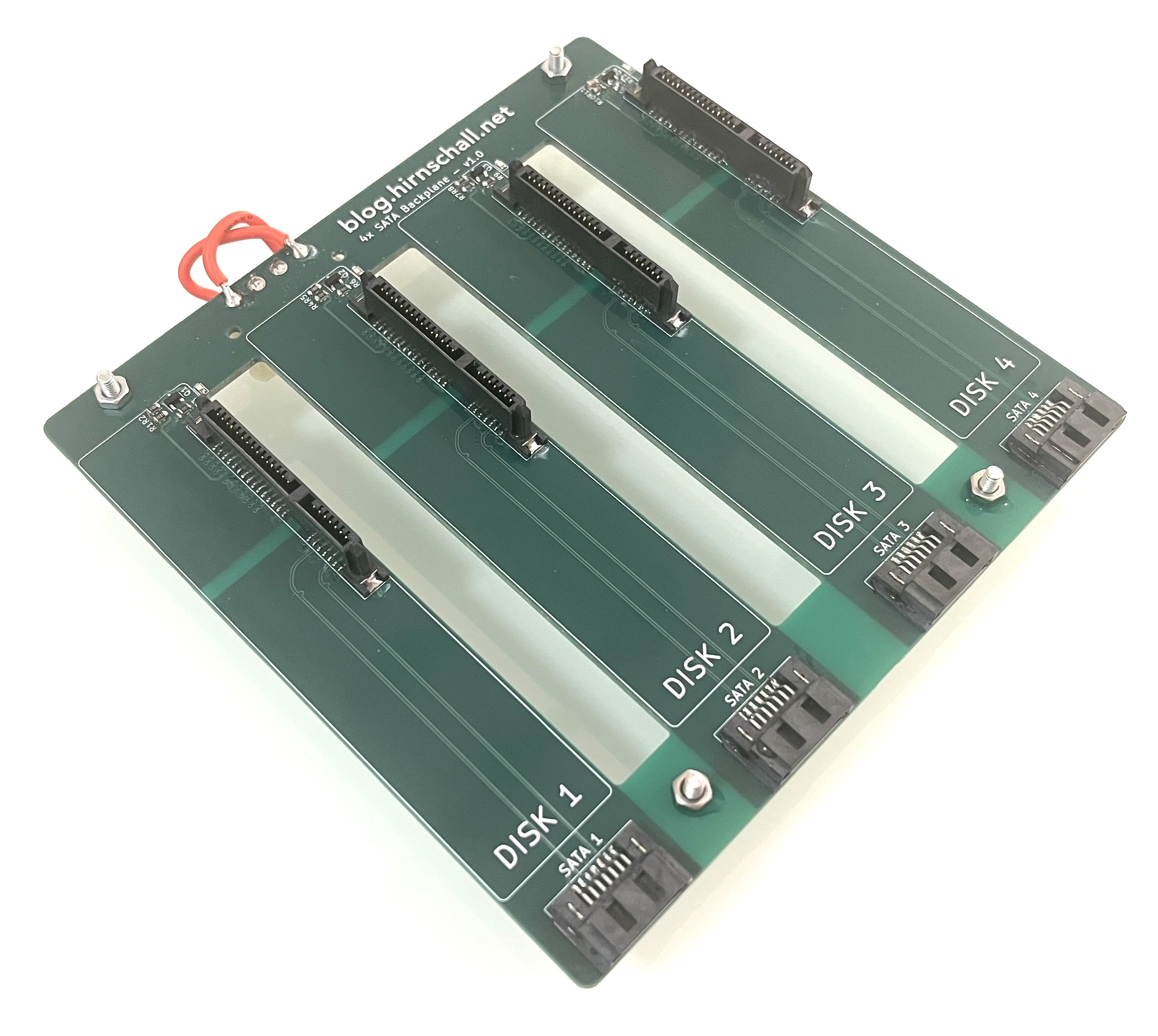
Design, Simulate (3D FEM), and Build a SATA Backplane

Design, Simulate (3D FEM), and Build a SATA Backplane

Impedance matching, differential pairs, crosstalk, S-parameter analysis, full wave 3D FEM simulation, and much more.

Get Notified of New Articles

Subscribe to get notified about new projects. Our Privacy Policy applies.
Sebastian Hirnschall
Article by: Sebastian Hirnschall
Updated: 13.05.2026

License

This project (with exceptions) is published under the CC Attribution-ShareAlike 4.0 International License.