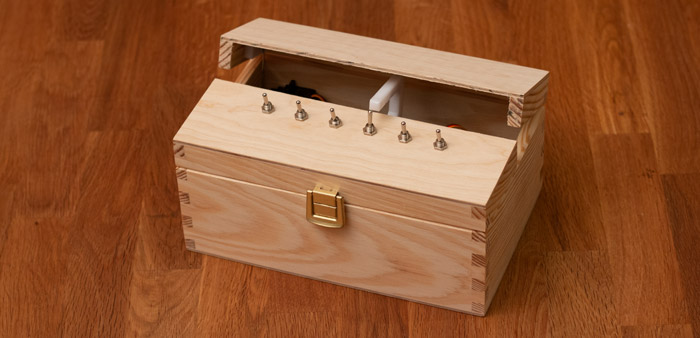
Build a multi-switch useless box with a single moving arm, custom PCB, and 3D-printed mounting — full Arduino code and STL files included.
blog.hirnschall.net


Most IoT projects need to connect to a WiFi network, but hardcoding the SSID and password in the firmware is inflexible. This post covers a self-contained provisioning pattern where the ESP32 hosts its own access point and a minimal web interface on first boot, allowing WiFi credentials to be entered without modifying or reflashing the firmware. On every subsequent boot the stored credentials are used to connect normally. A hardware reset button clears the stored credentials so the process can be repeated.
The full working example code can be found at the end of the post.
This post builds on two other posts in the ESP32 reference: Preferences for storing credentials in NVS and WebServer for serving the provisioning page. This post is part of a complete ESP32 reference you can find here.
On every boot the firmware follows this sequence. First, it checks whether the reset button is held. If it is, it clears the stored credentials from NVS. Then it checks whether credentials exist in NVS. If they do not, it enters provisioning mode. If they do, it connects to WiFi and starts normal operation.
In provisioning mode the ESP32 starts its own WiFi access point, runs a DNS server that redirects all traffic to itself, and serves a small HTML form where the user can enter an SSID and password. When the form is submitted the credentials are written to NVS and the ESP32 reboots. On the next boot the credentials exist and the normal connection flow runs instead.
If the stored credentials are wrong, for example because the WiFi password changed, the ESP32 will try to connect on every boot but never succeed. Holding the reset button on boot clears the credentials and returns to provisioning mode. If we wanted to we could also clear the stored credentials after a certain number of failed connection attempts, but I usually avoid this in case the WiFi is just temporarily down.
We will use the following three libraries in this project. They are all included in the ESP32 Arduino core, so no additional installation is required. We just need to install the ESP32 core in the boards manager.
#include <WiFi.h>
#include <WebServer.h>
#include <DNSServer.h>
#include <Preferences.h>
DNSServer.h is needed for the captive portal. When a phone connects to the ESP32 access point it sends DNS queries to resolve any hostname. The DNS server responds to all queries with the ESP32's own IP address, which causes the phone's OS to detect a captive portal and automatically open the provisioning page in a browser.
WebServer.h and Preferences.h are used for serving the provisioning page and storing the WiFi credentials, respectively. As mentioned above we have separate, more detailed, posts on both libraries (WebServer, Preferences).
To start things off, we define the access point name, password, reset button pin, and the ESP32's IP address in AP mode at the top of the file.
For this example we choose 192.168.4.1 as the IP address and GPIO 0 for the "reset" button. Note that the reset button for the WiFi credentials is not the same as the reset button for the ESP32 itself.
const char* AP_SSID     = "ESP32-Setup";
const char* AP_PASSWORD = "configure";  // min 8 characters, or "" for open network
const int   RESET_PIN   = 0;            // GPIO0 is the BOOT button on most dev boards

const IPAddress AP_IP(192, 168, 4, 1);
const IPAddress AP_SUBNET(255, 255, 255, 0);
The WiFi reset button is connected between the GPIO pin and GND, using the internal pull-up resistor. On most ESP32 development boards, GPIO0 is the BOOT button and is already wired this way, making it a convenient choice.
We can use a struct to hold the credentials and store it as a single bytes entry in NVS using the Preferences library, as covered in the Preferences post.
We will choose a fixed (maximum) size of 64 characters for both the SSID and password fields.
Additionally, we create helper functions to load, save, and clear the credentials in NVS, which we will use later.
struct Credentials {
    char ssid[64];
    char password[64];
};

Preferences prefs;
Credentials credentials;

bool loadCredentials() {
    prefs.begin("wifi", true);
    bool exists = prefs.getBytesLength("creds") == sizeof(credentials);
    if (exists) {
        prefs.getBytes("creds", &credentials, sizeof(credentials));
    }
    prefs.end();
    return exists;
}

void saveCredentials() {
    prefs.begin("wifi", false);
    prefs.putBytes("creds", &credentials, sizeof(credentials));
    prefs.end();
}

void clearCredentials() {
    prefs.begin("wifi", false);
    prefs.clear();
    prefs.end();
    Serial.println("Credentials cleared");
}
In provisioning mode we start the access point, configure the DNS server, and register two routes on the web server. One handles requests for the root "/" and serves an HTML form where we can enter the WiFi credentials. The second handler is for the "Save and Reboot" button shown on the main HTML page. It will send a request to "/save" which the ESP32 uses to store the credentials and reboot.
Additionally, we redirect any request to an unknown path to the root handler. This is what triggers the captive portal. The phone's OS probes captive.apple.com, connectivitycheck.gstatic.com, etc.. By redirecting all paths to the root handler, we make sure that the requests made by the phone all return our provisioning page, which causes the captive portal popup to show on the phone.
Fig. 1 shows the page that will be displayed when in provisioning mode. The actual HTML for the provisioning page is included in the full example at the end of the post. For readability's sake it is replaced with a placeholder in the listing in this section.

Let's now go through the code step by step. handleRoot is simple. It returns the provisioning HTML. handleSave is more interesting. It checks if an ssid was provided. If not, it returns a 400 error with error message "SSID required". If it was provided, we store the GET argument for both the password and SSID in NVS and reboot.
WebServer server(80);
DNSServer dns;

//PROVISIONING_HTML is shown in the full example at the end of the post
const char* PROVISION_HTML = R"(HTML GOES HERE)";

void handleRoot() {
    server.send(200, "text/html", PROVISION_HTML);
}

void handleSave() {
    if (!server.hasArg("ssid") || server.arg("ssid").isEmpty()) {
        server.send(400, "text/plain", "SSID required");
        return;
    }

    server.arg("ssid").toCharArray(credentials.ssid, sizeof(credentials.ssid));
    server.arg("password").toCharArray(credentials.password, sizeof(credentials.password));

    saveCredentials();

    server.send(200, "text/html",
        "<html><body><h2>Saved. Rebooting...</h2></body></html>");
    server.handleClient(); // ensure response is sent before rebooting
    delay(1000);
    ESP.restart();
}

void startProvisioning() {
    Serial.println("Starting provisioning mode");

    WiFi.mode(WIFI_AP);
    WiFi.softAPConfig(AP_IP, AP_IP, AP_SUBNET);
    WiFi.softAP(AP_SSID, AP_PASSWORD);

    Serial.print("AP IP: ");
    Serial.println(WiFi.softAPIP());

    // redirect all DNS queries to our IP, this triggers the captive portal on phones
    dns.start(53, "*", AP_IP);

    server.on("/", handleRoot);
    server.on("/save", HTTP_POST, handleSave);
    server.onNotFound(handleRoot); // redirect unknown paths to the form
    server.begin();

    Serial.println("Provisioning server started");

    while (true) {
        dns.processNextRequest();
        server.handleClient();
    }
}
The DNS server listens on port 53 and responds to all hostname queries with the AP IP address. Again, server.onNotFound(handleRoot) redirects any path the phone's OS requests, such as connectivity check URLs, back to the form, which is what triggers the captive portal popup.
In setup we check the reset button first, then check for stored credentials, and branch accordingly.
void setup() {
    Serial.begin(115200);

    pinMode(RESET_PIN, INPUT_PULLUP);

    // hold button on boot to clear credentials
    if (digitalRead(RESET_PIN) == LOW) {
        delay(50); // debounce
        if (digitalRead(RESET_PIN) == LOW) {
            clearCredentials();
            Serial.println("Reset detected. Cleared credentials.");
        }
    }

    if (!loadCredentials()) {
        startProvisioning(); // does not return
    }

    // credentials exist, connect to WiFi
    Serial.print("Connecting to ");
    Serial.println(credentials.ssid);

    WiFi.mode(WIFI_STA);
    WiFi.begin(credentials.ssid, credentials.password);

    while (WiFi.status() != WL_CONNECTED) {
        delay(500);
        Serial.print(".");
    }

    Serial.println();
    Serial.print("Connected. IP: ");
    Serial.println(WiFi.localIP());

    // normal operation starts here
}

void loop() {
    // application code
}
One thing to note is that
startProvisioning contains an infinite loop and thus never returns. We therefore do not need to set a flag or branch after it. Once the credentials are saved and the ESP32 reboots, loadCredentials returns true and the provisioning branch is never entered again.
The debounce check on the reset button uses a short delay. This is one of the places where delay is OK as it runs once on boot before any other initialization and does not block anything.
On first boot or after a reset, the ESP32 creates a WiFi network named ESP32-Setup. We can connect to it from a phone or laptop using the password configure. On most phones a browser will open automatically showing the setup form. If it does not, we navigate to 192.168.4.1 manually. We enter the SSID and password of the network we want the ESP32 to join and press Save. The ESP32 reboots and connects to the entered network.
To reprovision, we hold the reset button while powering on or pressing the hardware reset. The stored credentials are cleared and the device returns to provisioning mode on the next boot.
The listing below contains the complete code for the WiFi provisioning example discussed above.
#include <WiFi.h>
#include <WebServer.h>
#include <DNSServer.h>
#include <Preferences.h>

const char* AP_SSID     = "ESP32-Setup";
const char* AP_PASSWORD = "configure";  // min 8 characters, or "" for open network
const int   RESET_PIN   = 0;            // GPIO0 is the BOOT button on most dev boards

const IPAddress AP_IP(192, 168, 4, 1);
const IPAddress AP_SUBNET(255, 255, 255, 0);

struct Credentials {
    char ssid[64];
    char password[64];
};

Preferences prefs;
Credentials credentials;

bool loadCredentials() {
    prefs.begin("wifi", true);
    bool exists = prefs.getBytesLength("creds") == sizeof(credentials);
    if (exists) {
        prefs.getBytes("creds", &credentials, sizeof(credentials));
    }
    prefs.end();
    return exists;
}

void saveCredentials() {
    prefs.begin("wifi", false);
    prefs.putBytes("creds", &credentials, sizeof(credentials));
    prefs.end();
}

void clearCredentials() {
    prefs.begin("wifi", false);
    prefs.clear();
    prefs.end();
    Serial.println("Credentials cleared");
}

WebServer server(80);
DNSServer dns;

const char* PROVISION_HTML = R"(
<!DOCTYPE html>
<html>
<head>
  <meta charset="utf-8">
  <meta name="viewport" content="width=device-width, initial-scale=1">
  <title>WiFi Setup</title>
  <style>
    body { font-family: sans-serif; max-width: 400px; margin: 60px auto; padding: 0 20px; }
    input { width: 100%; padding: 8px; margin: 8px 0; box-sizing: border-box; }
    button { width: 100%; padding: 10px; background: #0078d4; color: white; border: none; cursor: pointer; }
  </style>
</head>
<body>
  <h2>WiFi Setup</h2>
  <form action="/save" method="POST">
    <label>SSID</label>
    <input type="text" name="ssid" required>
    <label>Password</label>
    <input type="password" name="password">
    <button type="submit">Save and Reboot</button>
  </form>
</body>
</html>
)";

void handleRoot() {
    server.send(200, "text/html", PROVISION_HTML);
}

void handleSave() {
    if (!server.hasArg("ssid") || server.arg("ssid").isEmpty()) {
        server.send(400, "text/plain", "SSID required");
        return;
    }

    server.arg("ssid").toCharArray(credentials.ssid, sizeof(credentials.ssid));
    server.arg("password").toCharArray(credentials.password, sizeof(credentials.password));

    saveCredentials();

    server.send(200, "text/html",
        "<html><body><h2>Saved. Rebooting...</h2></body></html>");
    server.handleClient(); // ensure response is sent before rebooting
    delay(1000);
    ESP.restart();
}

void startProvisioning() {
    Serial.println("Starting provisioning mode");

    WiFi.mode(WIFI_AP);
    WiFi.softAPConfig(AP_IP, AP_IP, AP_SUBNET);
    WiFi.softAP(AP_SSID, AP_PASSWORD);

    Serial.print("AP IP: ");
    Serial.println(WiFi.softAPIP());

    // redirect all DNS queries to our IP, this triggers the captive portal on phones
    dns.start(53, "*", AP_IP);

    server.on("/", handleRoot);
    server.on("/save", HTTP_POST, handleSave);
    server.onNotFound(handleRoot); // redirect unknown paths to the form
    server.begin();

    Serial.println("Provisioning server started");

    while (true) {
        dns.processNextRequest();
        server.handleClient();
    }
}

void setup() {
    Serial.begin(115200);

    pinMode(RESET_PIN, INPUT_PULLUP);

    // hold button on boot to clear credentials
    if (digitalRead(RESET_PIN) == LOW) {
        delay(50); // debounce
        if (digitalRead(RESET_PIN) == LOW) {
            clearCredentials();
            Serial.println("Reset detected. Cleared credentials.");
        }
    }

    if (!loadCredentials()) {
        startProvisioning(); // does not return
    }

    // credentials exist, connect to WiFi
    Serial.print("Connecting to ");
    Serial.println(credentials.ssid);

    WiFi.mode(WIFI_STA);
    WiFi.begin(credentials.ssid, credentials.password);

    while (WiFi.status() != WL_CONNECTED) {
        delay(500);
        Serial.print(".");
    }

    Serial.println();
    Serial.print("Connected. IP: ");
    Serial.println(WiFi.localIP());

    // normal operation starts here
}

void loop() {
    // application code
}
Below are links1 to the ESP modules and development boards I personally tend to use. If you are unsure about which one to choose, check out this comparison post!
| ESP-12F | NodeMCU ESP8266 | ESP32-WROOM-32 | ESP32-S3 |
|---|---|---|---|
| amazon.com amazon.de |
amazon.com amazon.de |
amazon.com amazon.de |
amazon.com amazon.de |
| #CommissionsEarned | |||
Build a multi-switch useless box with a single moving arm, custom PCB, and 3D-printed mounting — full Arduino code and STL files included.

Build a WiFi-controlled DSLR camera slider for under $100 with 3D-printed parts — full BOM, wiring, and control code included.

This project (with exceptions) is published under the CC Attribution-ShareAlike 4.0 International License.
1: As an Amazon Associate I earn from qualifying purchases.